Built for Security Teams at Every Stage

Whether you're doing your first cloud pentest or validating advanced detection rules, Mitigant meets you where you are.
Cloud icon with a yellow lightning bolt symbol below it.
Cloud Penetration Testing
Run cloud pentests anytime, continuously. No need to wait months for external engagements or hire expensive consultants.
Two orange human figures in front of a blue and white cloud icon.
Red Team & Purple Team Exercises
Emulate real adversary TTPs mapped to MITRE ATT&CK and actual threat actors. Train your SOC with threat-informed attack scenarios.
Blue target symbol with an orange exclamation mark in the center.
Detection & Alert Validation
Prove your SIEM, CDR, and detection tools actually work. Reduce false positives and validate security investments.
Illustration of a central orange microchip surrounded by blue cloud-like shapes representing cloud computing or AI technology.
Cloud icon with an orange circle featuring a blue check mark symbolizing verified or compliant cloud service.
Blue folder icon with an orange play button in the center.
AI Red Teaming, SOC Optimization, Incident Readiness, and more
Explore All Use Cases

Attack Builder

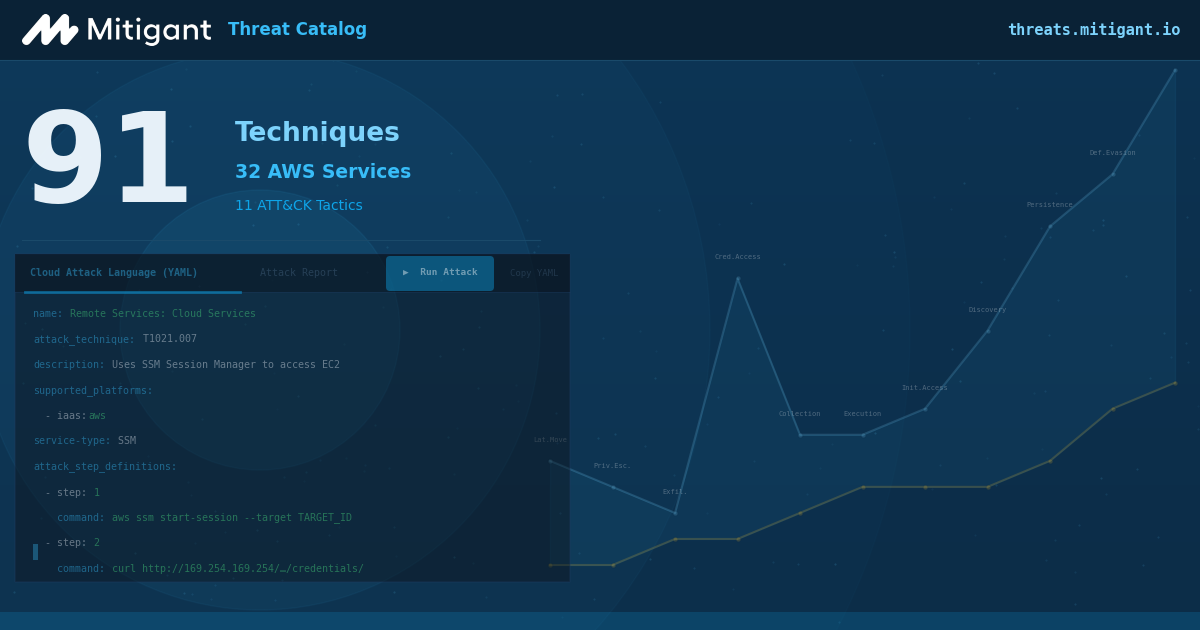
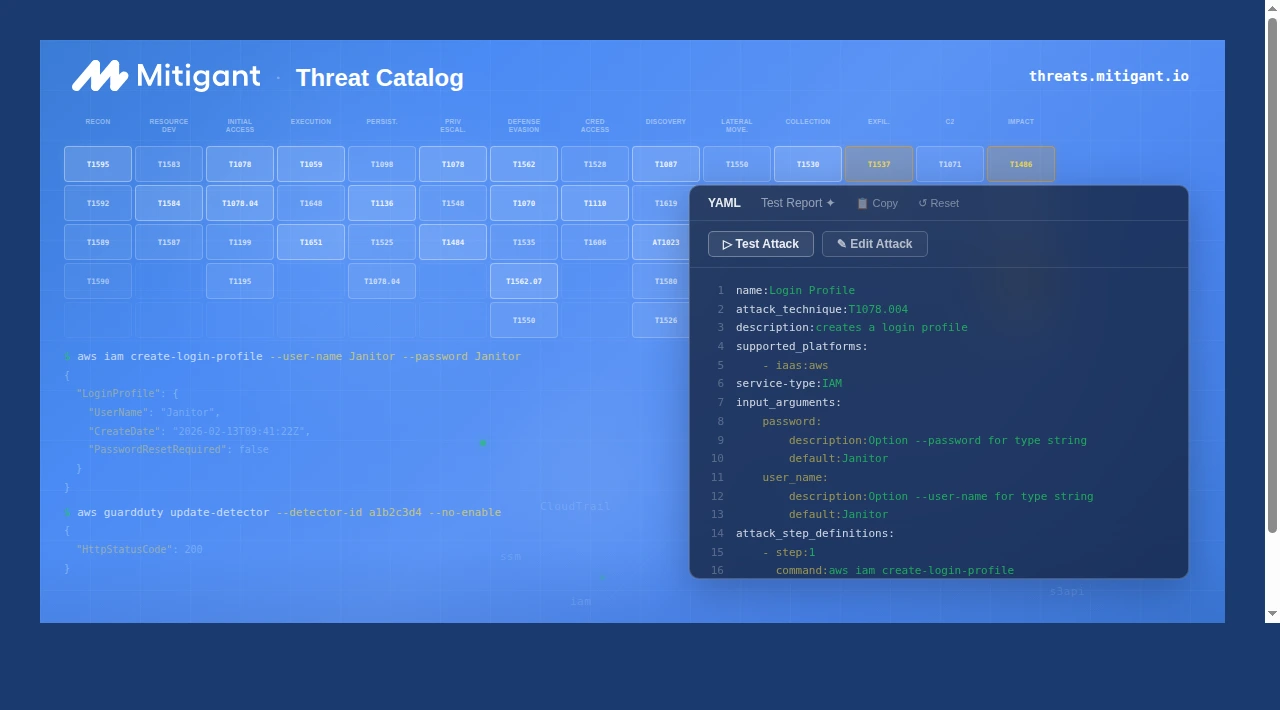
Build custom cloud attacks in seconds with our intuitive interface. Select from MITRE ATT&CK techniques, configure multiple AWS CLI commands with intelligent auto-complete, and test your constructed attacks seamlessly.
White checkmark inside a green circle indicating confirmation or success.
Choose from 200+ MITRE-mapped cloud attacks.
White checkmark inside a green circle indicating confirmation or success.
Build custom attacks using auto-complete ; no syntax memorization
White checkmark inside a green circle indicating confirmation or success.
Chain multiple steps into complex attack scenarios
White checkmark inside a green circle indicating confirmation or success.
Live YAML preview shows your attack definition as you build
White checkmark inside a green circle indicating confirmation or success.
Define attacks as code for automation and CI/CD workflows
White checkmark inside a green circle indicating confirmation or success.
From idea to executed attack in under 30 seconds
Learn More

Safe Attack Execution Everywhere

Confidently run attacks in any environment; production and non-production. Our efficient safety measures ensure attacks run safely wherever you need them.
White checkmark inside a green circle indicating confirmation or success.
Automatic resource cleanup after every attack
White checkmark inside a green circle indicating confirmation or success.
Granular permission controls (Admin, Non-Admin, or BYOR)
White checkmark inside a green circle indicating confirmation or success.
Isolated attack execution; no impact on adjacent resources
White checkmark inside a green circle indicating confirmation or success.
Attack preview before execution
White checkmark inside a green circle indicating confirmation or success.
Stop attacks mid-execution if needed
Learn More

Attack Builder

Build custom cloud attacks in seconds with our intuitive interface. Select from MITRE ATT&CK techniques, configure multiple AWS CLI commands with intelligent auto-complete, and test your constructed attacks seamlessly.
White checkmark inside a green circle indicating confirmation or success.
Choose from 200+ MITRE-mapped cloud attacks.
White checkmark inside a green circle indicating confirmation or success.
Build custom attacks using auto-complete ; no syntax memorization
White checkmark inside a green circle indicating confirmation or success.
Chain multiple steps into complex attack scenarios
White checkmark inside a green circle indicating confirmation or success.
Live YAML preview shows your attack definition as you build
White checkmark inside a green circle indicating confirmation or success.
Define attacks as code for automation and CI/CD workflows
White checkmark inside a green circle indicating confirmation or success.
From idea to executed attack in under 30 seconds
Learn More

Safe Attack Execution Everywhere

Confidently run attacks in any environment; production and non-production. Our efficient safety measures ensure attacks run safely wherever you need them.
White checkmark inside a green circle indicating confirmation or success.
Automatic resource cleanup after every attack
White checkmark inside a green circle indicating confirmation or success.
Granular permission controls (Admin, Non-Admin, or BYOR)
White checkmark inside a green circle indicating confirmation or success.
Isolated attack execution; no impact on adjacent resources
White checkmark inside a green circle indicating confirmation or success.
Attack preview before execution
White checkmark inside a green circle indicating confirmation or success.
Stop attacks mid-execution if needed
Learn More
Blue wave-like abstract shape on a black background.

Start Simple, Scale as Needed

Choose the permission model that matches your comfort level. Start with basic read-only testing, switch to higher permissions when ready.

Non-Admin Role

CloudFormation Template
Limited permissions for basic attack validation
Read-heavy operations with minimal write
Reduced blast radius by design
Quick 5-minute setup
Best For
Organizations starting with attack emulation, wanting minimal blast radius and reconnaissance-focused validation

Admin Role

CloudFormation Template
Comprehensive permissions for full attack coverage
Read + Write operations enabled
Aligned with Assumed Breach methodology
Quick 5-minute setup
Best For
Teams with dedicated testing environments for training security teams and building comprehensive detection rules

Bring Your Own Role

Custom IAM Role
Full control over blast radius and permissions
Custom trust policies and external ID security
Test what-if scenarios with org-specific roles
Revocable anytime
Requires manual configuration and advanced IAM knowledge
Best For
Security-conscious organizations with strict compliance, governance requirements, or custom permission boundaries

Actionable Results, Not Just Alerts

Get clear insights whether you have a dedicated SOC or a security team of one

For Every Security Team

White checkmark inside a green circle indicating confirmation or success.
Detailed attack reports showing what was tested and what failed
White checkmark inside a green circle indicating confirmation or success.
Step-by-step remediation guidance with fix instructions
White checkmark inside a green circle indicating confirmation or success.
Evidence of what's actually exploitable vs. theoretical risks
White checkmark inside a green circle indicating confirmation or success.
Executive-friendly summaries for stakeholders
White checkmark inside a green circle indicating confirmation or success.
Downloadable PDF reports for audit documentation

For Advanced Teams

White checkmark inside a green circle indicating confirmation or success.
AI-powered attack analysis & recommendations
White checkmark inside a green circle indicating confirmation or success.
MITRE ATT&CK technique mappings for each attack
White checkmark inside a green circle indicating confirmation or success.
Sigma detection rules for SIEM integration
White checkmark inside a green circle indicating confirmation or success.
Attack path visualization across multi-step scenarios
White checkmark inside a green circle indicating confirmation or success.
Detection gap analysis showing what your tools missed

Grow with Your Security Maturity

Start manual, automate over time. Mitigant scales with your needs.
1
Manual Testing
Start with on-demand attacks. Run attacks when you need them. Perfect for quarterly pentests or pre-deployment validation.
2
Scheduled Validation
Automate recurring tests. Schedule weekly or monthly attack scenarios. Continuous validation without manual effort.
3
API Integration
Trigger attacks from CI/CD pipelines, AI-SOC platforms, or custom workflows. Full automation for mature security operations.
How It Works

The First & Most Comprehensive Cloud Attack Emulation Platform

1. Select Attacks
1. Select Attacks
Select attacks based on a criteria e.g. MITRE ATT&CK techniques or Threat Actor like Scattered Spider.
2. Execute Attacks
2. Execute Attacks
Document your attack objectives and hit the "Start Attack" button. The attacks run via API against the cloud infrastructure.
3. Analyze Attack Report
Analyze the attack report, use it to harden your system based on the provided remediation steps & Sigma rules.
Benefits

Attack Your Clouds Before Hackers Do

Dashboard showing AWS Cloud Security Assessment with a B security score at 73%, lists of top most risky findings with critical and high severity, and distribution charts for AWS services and findings by AWS regions.
Automated Cloud Attack Emulation
Effortlessly test cloud security with over 30 cloud attack emulation actions and scenarios based on the MITRE ATT&CK framework and Security Chaos Engineering approach with automatic rollback.
Dashboard showing AWS Cloud Security Assessment with a B security score at 73%, lists of top most risky findings with critical and high severity, and distribution charts for AWS services and findings by AWS regions.
Uncover Cloud Security Blindspots
Continuously evaluate the effectiveness of implemented cloud security measures and identify security blindspots and false positives before attackers can exploit them.
Dashboard showing AWS Cloud Security Assessment with a B security score at 73%, lists of top most risky findings with critical and high severity, and distribution charts for AWS services and findings by AWS regions.
Prepare for Real World Cloud Attacks
Enhance cloud security postures and team readiness through proactive cloud security testing to refine incident response strategy.
Benefits

Make Your Cloud Secure and Compliant

Dashboard showing AWS Cloud Security Assessment with a B security score at 73%, lists of top most risky findings with critical and high severity, and distribution charts for AWS services and findings by AWS regions.
Easily Remediate Cloud Security Vulnerabilities
Reduce cloud security incidents due to misconfigurations and compliance violations with  clear, step-by-step instructions, along with command-line and Terraform commands
Dashboard showing AWS Cloud Security Assessment with a B security score at 73%, lists of top most risky findings with critical and high severity, and distribution charts for AWS services and findings by AWS regions.
Continuously Monitor Cloud Security Compliance
Achieve and maintain compliance with cloud security standards and regulatory requirements faster in one platform, such as ISO 27001, SOC 2, and CIS Benchmarks.
Dashboard showing AWS Cloud Security Assessment with a B security score at 73%, lists of top most risky findings with critical and high severity, and distribution charts for AWS services and findings by AWS regions.
Unified Multi-Cloud Security Visibility
Take inventory of cloud infrastructures across cloud providers and automatically detect unwanted changes in cloud resources in one platform.
Benefits

Kubernetes Security Made Simple

Dashboard showing AWS Cloud Security Assessment with a B security score at 73%, lists of top most risky findings with critical and high severity, and distribution charts for AWS services and findings by AWS regions.
Security Compliance Made Easy
Automatically detect and remediate security vulnerabilities in the Kubernetes clusters to achieve security compliance with a click.
Dashboard showing AWS Cloud Security Assessment with a B security score at 73%, lists of top most risky findings with critical and high severity, and distribution charts for AWS services and findings by AWS regions.
Protect Everything in The Kubernetes Cluster
Ensure all components of Kubernetes clusters are secure, including the images and deployed containers.
Dashboard showing AWS Cloud Security Assessment with a B security score at 73%, lists of top most risky findings with critical and high severity, and distribution charts for AWS services and findings by AWS regions.
Unified Kubernetes Security Monitoring
Monitor available resources and configurations in various Kubernetes environments in one platform.
Benefits

Seamlessly Ensure Secure and Safe GenAI Infrastructure

GenAI Red Teaming
Easily run AI Red teaming exercises to detect security risks and violations of AI safety measures
Ensure GenAI Cyber Hygiene
Continuously monitor and detect misconfigured GenAI cloud resources. Implement countermeasures immediately using the provided recommendations
GenAI Asset Inventory
Have a grip of the GenAI cloud resources, keep track of changes and act swiftly when prompted about malicious resource drifts.

Cloud Immunity Use Cases

This is the original use case for cloud immunity, to make running security chaos engineering (SCE) experiments easy and straightforward. Users may define the objective of the experiment to be conducted (hypothesis); this gives a precise expectation that would define the focus of observation. The hypothesis and observation can be documented in the applications and retrieved anytime as users continue improving the security and resiliency of their infrastructure. The experiments mentioned about are implemented as attack actions and attack scenarios. Attack actions are single attacks with a single attack target, e.g., “Make an S3 bucket public”. Conversely, attack scenarios consist of two or more actions designed to present more realistic attacks, e.g., S3 Ransomware attack scenario.

Read More

This is the original use case for cloud immunity, to make running security chaos engineering (SCE) experiments easy and straightforward. Users may define the objective of the experiment to be conducted (hypothesis); this gives a precise expectation that would define the focus of observation. The hypothesis and observation can be documented in the applications and retrieved anytime as users continue improving the security and resiliency of their infrastructure. The experiments mentioned about are implemented as attack actions and attack scenarios. Attack actions are single attacks with a single attack target, e.g., “Make an S3 bucket public”. Conversely, attack scenarios consist of two or more actions designed to present more realistic attacks, e.g., S3 Ransomware attack scenario.

Read More

We Support Your Favorite Clouds

Mitigant Cloud Security Posture Management proactively ensures security and compliance for cloud infrastructures with complete security visibility in one platform
Diagram showing a central Morpheus Labs logo connected by dotted lines to three logos below: AWS, Microsoft Azure, and Google Cloud with a red 'Soon' label.

We support several Kubernetes flavors
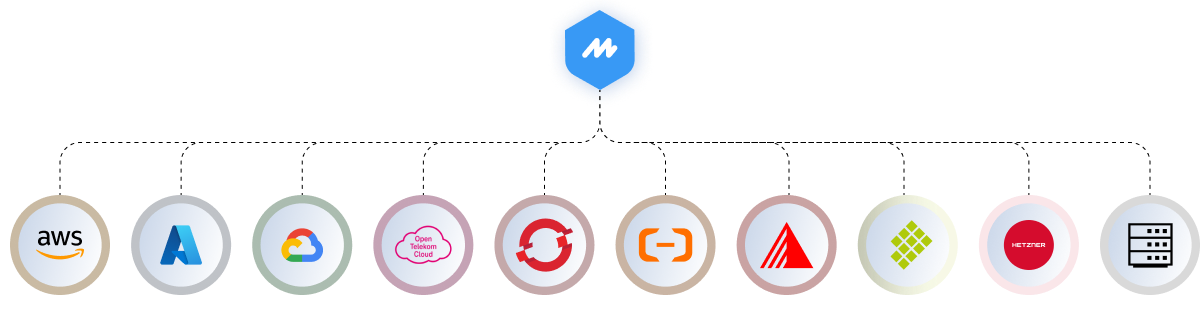
Mitigant KSPM provides crystal clear visibility of your Kubernetes environments and enables continuous security and compliance.
Cloud service provider logos including AWS, Microsoft Azure, Google Cloud, Open Telekom Cloud, Red Hat, Alibaba Cloud, Oracle Cloud, SAP, Hetzner, and others arranged in a horizontal line beneath a central M logo.

The Mitigant Advantage

Supercharge Cloud Security Operations with these unique features
Icon of a USB flash drive plugged into a rectangular port representing plug-and-play attacks.
Plug-and-Play Attacks
No attack scripts to maintain. All attacks are plug-and-play, like Lego bricks.
Blue stylized target with an arrow pointing towards its center on a white background.
Automated & Realistic
Target environment is enumerated on the fly, vulnerable targets are selected & attacked.
Download icon with a downward arrow entering a horizontal tray.
Evidence Collection
Attack telemetry is automatically collected for further security analysis.
Icon of a brain with connected nodes emitting signals, symbolizing artificial intelligence and data flow.
Gen AI Attacks
Attacks against GenAI systems, e.g. data are included. This allows innovative use cases, e.g., AI-Red teaming.
Blue icon of a document with three horizontal lines representing text.
Comprehensive Reporting
Detailed reports with the related MITRE ATT&CK & MITRE ATLAS Tactics, Techniques and remediation steps.
Blue eyeglasses icon with thick round lenses and arms.
Cyber Threat Intelligence
Corresponding threat actors are shown due to the integration of CTI.
Blue molecular structure icon with three connected nodes.
Attack Path Analysis
The attack paths are visualized to provide clear situational awareness.
Blue symbol combining a clipboard with code brackets, representing code or programming tasks.
Attack-as-Code
Agile security operations: automated, repeatable, consistent, and versioned. Empowered by GitOps.
Blue padlock icon symbolizing security and safety.
Agentless & Safe
No agents, onboarding and attacks are orchestrated via APIs. Target environments are automatically clean up afterwards.
Testimonials

Don’t take our words

"Lorem ipsum dolor sit amet, consectetur adipiscing elit. Suspendisse varius enim in eros elementum tristique. Duis cursus, mi quis viverra ornare."

Name Surname

Position, Company name

"Lorem ipsum dolor sit amet, consectetur adipiscing elit. Suspendisse varius enim in eros elementum tristique. Duis cursus, mi quis viverra ornare."

Name Surname

Position, Company name

"Lorem ipsum dolor sit amet, consectetur adipiscing elit. Suspendisse varius enim in eros elementum tristique. Duis cursus, mi quis viverra ornare."

Name Surname

Position, Company name

Join The Cloud Security Revolution Today!

Take control of your cloud security in minutes. No credit card required.